

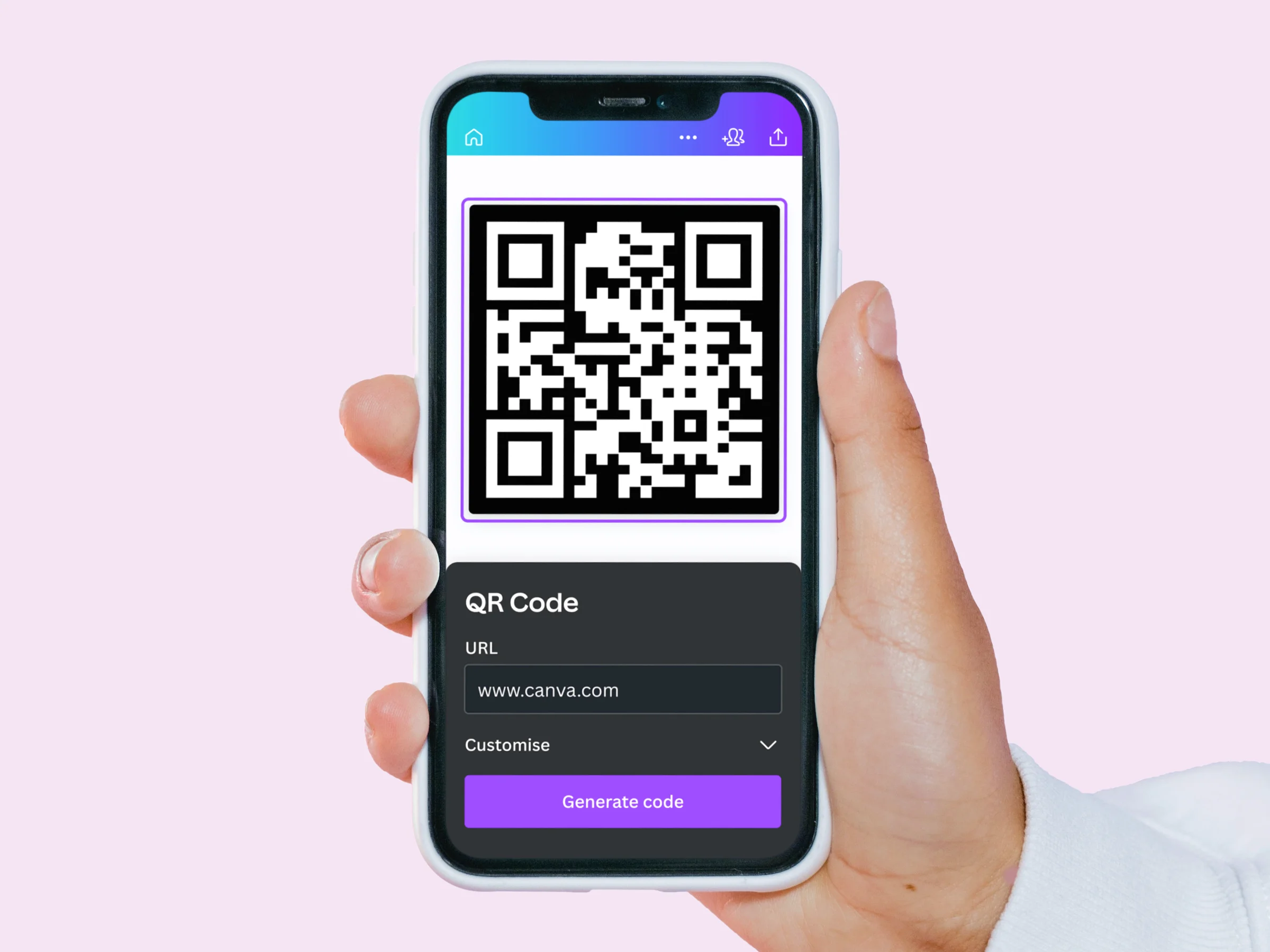
If you need to create a QR code and have no interest in installing software, buying a subscription, or wading through a complicated interface, this article is for you. It is written for small business owners, marketers, event organizers, educators, and anyone else who wants a fast, reliable way to generate a scannable code directly from a browser. By the time you finish reading, you will understand the key differences between the main categories of online QR code tools, know exactly what features to evaluate before choosing one, and have enough information to make a confident decision based on your specific situation.
Why Browser-Based QR Code Tools Have Replaced Desktop Software
Not long ago, generating a QR code required either paying for dedicated software or depending on a developer to build one for you. That changed as browser technology improved and demand for QR codes exploded across industries. Today, anyone with an internet connection can generate a QR code in under a minute without touching a download button, a credit card, or a software license agreement.
The shift matters practically. Browser-based tools work across operating systems without compatibility issues, update automatically without requiring user action, and are accessible from any device, including phones and tablets. For the majority of use cases, from a restaurant adding a code to its menu to a freelancer putting one on a business card, a well-built online tool delivers everything a desktop application would, often with less friction.
The challenge is that the category has grown crowded. Dozens of tools now claim to be free, easy, and fully featured, and not all of them live up to that description. Understanding what actually separates a good tool from a mediocre one is the most useful thing you can do before choosing.
The Core Criteria for Evaluating Any Online QR Code Generator
Before looking at specific platform types, build your evaluation around a consistent set of criteria. Applying the same questions to every tool you consider makes comparison much easier and prevents you from being swayed by features you do not actually need.
- No download required: The tool should run entirely in a browser with no software installation, app download, or plugin required on desktop or mobile.
- Account requirement: Does the tool require you to create an account before generating or downloading a code? Accountless access is faster for one-off tasks, while account-based tools typically unlock more features.
- Static versus dynamic codes: Static codes encode a fixed URL that cannot be changed after creation. Dynamic codes redirect through a hosted URL that can be updated without reprinting. Dynamic codes also enable scan tracking, but they typically require a paid plan or account.
- Customization options: Can you change the color of the code, adjust the dot or marker style, and add a logo or frame? Basic customization keeps the code on-brand without requiring any design experience.
- Output file formats: Look for PNG at minimum. SVG or PDF support is important if you plan to use the code in print materials, since those formats scale without losing quality.
- No watermark on free downloads: Some tools add their own branding to free exports. For professional use, a clean download without watermarks is non-negotiable.
- Template integration: Can the code be dropped directly into a flyer, business card, poster, or social post within the same platform, or do you have to download the image and place it manually elsewhere?
- Code expiration policy: Some free tools expire codes after a set period. Non-expiring static codes are preferable unless you specifically need the editing flexibility that dynamic codes provide.
- Mobile usability: Is the generator fully functional on a smartphone browser? This matters for users who work across devices or need to create a code on the go.
- Security and trustworthiness: Does the tool use HTTPS? Does it come from a reputable provider? QR codes that redirect through unreliable short links can pose risks to end users, which reflects on whoever distributed them.
The Main Categories of Online QR Code Tools
Dedicated Static Code Generators
The most minimal category of online QR code tool focuses entirely on producing a static code from a URL or text string. These tools typically present a single input field, a generate button, and a download option, with optional color and style controls. There is usually no account required, and the process from landing on the page to downloading a finished code can take less than a minute.
This category is the right fit for users who generate QR codes occasionally and do not need to track scans or update where a code points after printing. Common use cases include adding a code to a printed flyer, linking a business card to a portfolio site, or attaching a code to a product for a one-time campaign.
When evaluating tools in this category, focus on whether the download is truly watermark-free, whether the output quality is high enough for print, and whether the code genuinely does not expire. Some tools in this space advertise as free but reveal restrictions only at the download step, which wastes your time. A trustworthy tool is transparent about its limitations upfront.
All-in-One Creative Platforms with QR Code Features
A growing number of browser-based design platforms include QR code generation as one feature within a broader creative workspace. On these platforms, you generate the code, then place it directly into a template, design layout, or marketing asset without leaving the tool. This is a meaningful workflow advantage for anyone who regularly produces visual content alongside their QR codes.
One strong option in this category is the QR code maker from Adobe Express. A few specific features make it worth considering. First, the tool generates codes directly in the browser with no software download and no design experience required. You enter a URL, choose a color and style, and download the result in seconds. Second, the customization goes beyond simple color changes. You can adjust the dot pattern and marker style of the code itself, which allows for a more visually distinctive result that still scans reliably. Third, generated codes connect directly to Adobe Express’s template library, meaning you can drop a finished code into a business card, flyer, poster, or social media post without leaving the platform. Codes created with Adobe Express do not expire, and downloads are available in PNG, JPEG, and PDF formats. The tool works in any mobile browser, so there is no device dependency.
Adobe Express is not the only platform in this category, and it is not the right fit for every user. Its QR codes are static, meaning you cannot update the destination URL after generating the code without creating a new one. For users who need to run trackable campaigns or update QR code destinations post-print, a dedicated dynamic code platform will serve better. But for users who want to create a clean, branded, non-expiring QR code and incorporate it into a finished design in one session, it is a well-rounded option.
Dynamic QR Code Platforms
Dynamic QR code tools operate differently from static generators. Instead of encoding your destination URL directly into the code pattern, dynamic tools encode a short redirect link hosted by the platform. When someone scans the code, they are routed through that redirect to your destination. Because the redirect is hosted, you can update the destination at any time through the platform’s dashboard, even after the code has been printed and distributed.
This architecture also enables scan tracking. Dynamic platforms can log every scan and report on when and where the code was scanned, what device was used, and sometimes geographic location data. For businesses running marketing campaigns tied to QR codes, this data is valuable for measuring performance.
The trade-off is that dynamic codes almost universally require a paid subscription for ongoing use. Free plans typically cap the number of dynamic codes you can maintain at once, limit the number of scans tracked, or both. If your use case requires real-time analytics and the ability to update destinations post-print, budget for a paid plan and evaluate dynamic platforms accordingly. If you do not need those capabilities, a static generator will serve you just as well at no cost.
Dedicated Code-Type Specialists
Some platforms differentiate themselves by supporting a wide range of QR code content types beyond simple URLs. In addition to website links, these tools can encode vCards (digital contact cards), Wi-Fi login credentials, plain text, email addresses, phone numbers, calendar events, and more. The interface typically presents a content-type selector before you enter your information.
This category is useful for users with specific technical needs, such as IT professionals setting up Wi-Fi QR codes for guests, event organizers creating scannable event invitations, or businesses embedding contact cards in printed materials. For general URL-based use cases, however, the added content-type flexibility is rarely the deciding factor.
How to Decide Which Category Fits Your Needs
Rather than defaulting to the most feature-rich option, the most efficient path to the right tool is matching the platform’s capabilities to your actual workflow. Work through these questions before making a final choice:
- How often will you create QR codes? Occasional use favors accountless, no-login tools. Regular use justifies creating an account for access to additional features and saved history.
- Do you need to update the destination after printing? If yes, you need a dynamic code platform. If no, a static generator is faster and free.
- Do you need to track scans? Scan analytics require a dynamic code and, in most cases, a paid plan.
- Will the code appear in designed materials? If you need the code in a flyer, poster, or business card, a platform with template integration will save significant time.
- Do you need print-quality output? If the code will be printed at large sizes, confirm the tool exports SVG or PDF in addition to PNG.
- Is branding important? If you want the code to reflect your visual identity through custom colors, patterns, or an embedded logo, verify that those customization options are available in the free tier of the tool you are evaluating.
Frequently Asked Questions
What is the difference between a static and a dynamic QR code, and which one do I need?
A static QR code encodes your destination URL directly into the pattern of the code itself. Once generated, the destination cannot be changed without creating a whole new code. Static codes are permanent and do not require any hosting or subscription to remain functional, which is why they are the standard option on most free tools. A dynamic QR code, by contrast, encodes a short redirect URL hosted by the platform. The actual destination can be updated at any time through a dashboard, even after the code has been printed. Dynamic codes also enable scan tracking, which gives you data on how many people scanned the code, when, and from what type of device. For most individual and small business use cases, static codes are perfectly sufficient. If you are running a campaign where you might need to change the destination mid-flight or need performance data, a dynamic code platform is worth the investment.
Are free online QR code generators safe to use?
The trustworthiness of a QR code generator depends on the provider, not the price. Reputable platforms, including those offered by well-known design and marketing companies, generate codes that route directly to your specified destination without adding hidden redirects or tracking links that could be flagged by browsers or security tools. The main risks to be aware of come from lesser-known tools that route codes through their own link shorteners, which can be flagged by smartphones as suspicious or, in rare cases, expire without notice. To stay on the safe side, look for tools that use HTTPS connections, come from established companies with clear privacy policies, and allow you to preview the encoded destination before downloading. It is also good practice to scan and test any QR code yourself before distributing it, which most modern smartphone cameras can do natively.
How do I track how many people scan my QR code?
Scan tracking requires a dynamic QR code hosted by a platform that logs redirect activity. Most free static QR code tools do not offer any built-in analytics because the code itself contains no trackable infrastructure. If you need scan-level data, you have two practical options. The first is to use a dynamic QR code platform that includes analytics in its free or paid tier. The second is to attach UTM parameters to the destination URL before generating your static code, which allows you to track traffic from that code inside Google Analytics or any other web analytics platform you already use. UTM parameters are tags added to the end of a URL that identify the source, medium, and campaign name of incoming traffic, and most analytics platforms read them automatically without any additional setup required.
Do QR codes expire, and what happens if they do?
Static QR codes do not expire on their own. Because the destination is encoded directly into the code pattern rather than routed through a hosted redirect, there is no infrastructure to shut down or subscription to lapse. A static code will continue to work as long as the destination URL it points to remains live. Dynamic QR codes, however, can expire if the hosting subscription lapses. If you use a dynamic code platform and your account is canceled or the free trial ends, the redirect infrastructure disappears and the code stops functioning. This is one of the more significant practical risks with dynamic tools on free plans. Before distributing a dynamic code in printed materials with a long shelf life, such as packaging, signage, or publication inserts, verify the platform’s policy on what happens to codes if you downgrade or cancel.
Can I put a logo inside a QR code without making it unscannable?
Yes, and it is a common practice. QR codes are built with a redundancy feature called error correction, which means a portion of the code pattern can be obscured or replaced without affecting its ability to scan. Most QR codes use an error correction level that allows up to about 30 percent of the pattern to be covered, which is enough space to place a logo in the center without compromising scannability. That said, the size and placement of the logo matter. Logos that extend beyond the center region or are placed at inconsistent positions within the pattern can cause scanning failures on slower or lower-quality camera apps. The safest approach is to keep the logo small, center it precisely, and test the finished code across multiple devices before distributing it. Tools that offer logo embedding as a built-in feature typically handle the placement and size constraints automatically, reducing the risk of an unreadable result.
Conclusion
Generating a QR code online without downloading software is genuinely straightforward when you know what to look for. The category spans everything from bare-minimum static generators you can use in under a minute with no account to full-featured creative platforms that let you build, brand, and embed a code into a finished design without ever leaving your browser. The right choice depends on how often you create codes, whether you need to track scans or update destinations post-print, and whether the code needs to live inside a designed asset like a flyer or business card.
Use the ten evaluation criteria in this article as your consistent filter across any tool you consider, and prioritize the questions most relevant to your specific situation. Whether you need a quick, clean, non-expiring code for a one-time project or a fully branded, template-integrated solution for ongoing marketing use, a capable browser-based tool exists for your needs at no cost and with no software installation required.
